
Technology
ChromiumFX: The Browser Engine Revolutionizing Web Development

In a quiet office tucked away in a bustling tech hub, a small team of developers huddled around glowing monitors, debating the future of browser technology. Their challenge wasn’t just creating another web browser—it was about crafting a framework that could empower developers to build highly responsive, visually rich applications without the traditional constraints of standard web engines. Enter ChromiumFX, a game-changer quietly redefining how web and desktop applications interact in real time.
What Is ChromiumFX?
At its core, ChromiumFX is a .NET binding for the Chromium Embedded Framework (CEF). For the uninitiated, CEF itself is an open-source project that allows developers to embed Chromium-based browsers in their applications. ChromiumFX takes this a step further by providing a .NET-friendly interface, bridging the gap between powerful browser capabilities and the extensive ecosystem of .NET applications.
This means developers can integrate full-featured web content into desktop apps while leveraging .NET’s robust tools, libraries, and performance optimizations. Whether it’s rendering interactive dashboards, embedding live video streams, or supporting complex web applications, ChromiumFX provides a seamless solution without the overhead of managing separate browser processes.
Why ChromiumFX Matters in Today’s Tech Landscape
Modern software demands interactivity, speed, and adaptability. Applications are no longer static; they’re dynamic experiences that need to update in real-time and handle complex user interactions. ChromiumFX addresses this demand by combining the performance and security of Chromium with the versatility of the .NET framework.
For instance, fintech platforms can use ChromiumFX to integrate live trading charts directly within their desktop applications, giving users instant updates without relying on external web browsers. Similarly, enterprise SaaS products can deliver responsive dashboards that pull from multiple APIs while maintaining the familiarity of a desktop interface.
Real-World Applications of ChromiumFX
| Industry | Application | Benefits |
|---|---|---|
| Finance | Live trading platforms | Real-time updates, integrated charts, secure transactions |
| Healthcare | Medical dashboards | Fast rendering of patient data, responsive analytics |
| Education | E-learning apps | Interactive content delivery, multimedia support |
| Gaming | Game launchers & dashboards | Seamless integration of web-based features, live updates |
These examples highlight the versatility of ChromiumFX. Developers aren’t limited to simple web views—they can create rich, high-performance applications that feel native while maintaining web capabilities under the hood.
Technical Insights: How ChromiumFX Works
Behind the scenes, ChromiumFX relies on a series of interop layers that connect CEF’s native code with .NET. This architecture allows for two-way communication between the embedded browser and the host application. Developers can handle JavaScript calls, manipulate DOM elements, and intercept network requests, all from within a .NET environment.
One of the standout features is its multi-threaded architecture. Unlike some older embedding methods that block the main UI thread, ChromiumFX ensures that rendering and processing happen asynchronously, keeping applications responsive even under heavy workloads. For developers, this means smoother animations, faster page loads, and more robust error handling.
Advantages Over Alternative Solutions
While other frameworks like Electron have gained popularity, ChromiumFX offers distinct advantages, particularly for .NET developers.
-
Native Integration: It aligns seamlessly with existing .NET projects, reducing the need for workarounds or cross-language bridges.
-
Performance: With lightweight bindings, applications tend to be more memory-efficient than comparable Electron apps.
-
Customization: ChromiumFX allows granular control over browser behavior, from handling pop-ups to customizing rendering settings.
-
Security: Leveraging Chromium’s regular security updates ensures that embedded web content remains safe from common vulnerabilities.
For enterprises managing critical applications, these advantages translate into tangible benefits: faster development cycles, reduced overhead, and increased reliability.
Challenges and Considerations
No technology is without trade-offs. ChromiumFX, while powerful, introduces some considerations developers must account for:
-
Complexity: The framework requires a solid understanding of both .NET and Chromium’s underlying architecture.
-
Dependency Management: Ensuring compatibility with the latest Chromium builds can be demanding, especially in long-lived projects.
-
Resource Usage: Though lighter than some alternatives, embedding a full browser engine still incurs CPU and memory costs, which need careful optimization.
By addressing these challenges through best practices, such as asynchronous programming and modular architecture, developers can fully leverage ChromiumFX’s capabilities without compromise.
The Future of ChromiumFX
As software continues to blur the lines between web and desktop experiences, frameworks like ChromiumFX will become increasingly essential. With the rise of hybrid applications, rich dashboards, and interactive content, the demand for seamless web integration inside native applications is only growing.
Developers and businesses adopting ChromiumFX are positioning themselves at the forefront of this shift. By combining the universality of the web with the reliability of native applications, ChromiumFX enables experiences that are both powerful and intuitive—an increasingly rare combination in modern software development.
Conclusion
ChromiumFX isn’t just a tool; it’s a bridge. A bridge between web innovation and desktop stability, between performance and flexibility, between what exists and what’s possible. For .NET developers, it offers a pathway to build applications that are interactive, responsive, and visually compelling without reinventing the wheel.
In a world where user experience dictates success, ChromiumFX empowers developers to deliver software that doesn’t just meet expectations—it exceeds them.

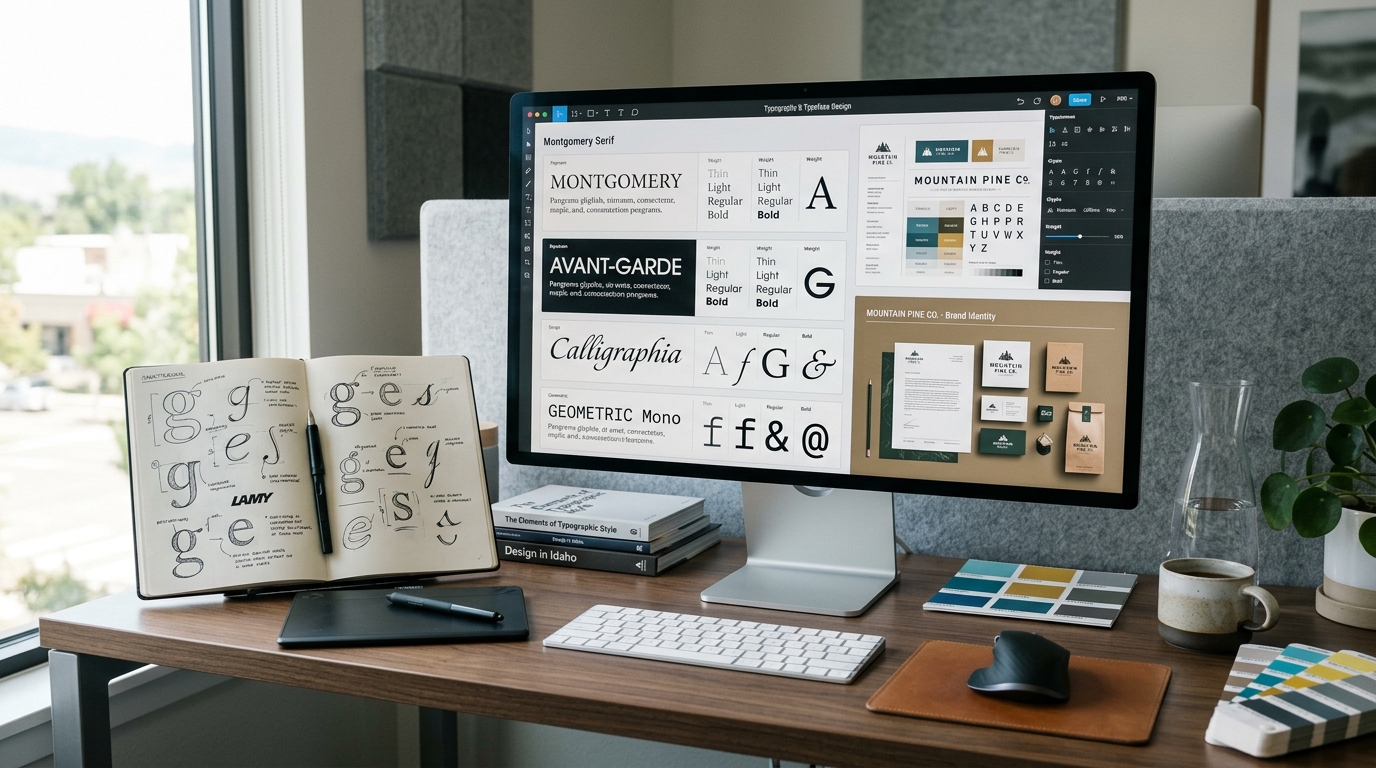
Typography can change the personality of a design in seconds, and Fontlu is one of the newer names appearing in searches for font discovery and downloads. The platform describes itself as a resource for designers, developers, and creators looking for free and premium typefaces.
But is Fontlu actually better than Google Fonts? Not necessarily. Google Fonts has a much more established ecosystem, while Fontlu is better viewed as an emerging font resource that may appeal to people looking for additional styles and browsing options. The key question is not simply which platform has more fonts, but which one fits a particular design project, workflow, and licensing requirement.
What Is Fontlu?
Fontlu is an online font resource focused on helping users discover, preview, and download typefaces. Its public website presents a collection of free and premium fonts and includes a browser-based font preview tool where users can enter text and see how it looks in different styles.
That makes the platform relevant to several types of users. A graphic designer might be searching for a distinctive display typeface, while a content creator could want something different for a social media graphic or presentation.
There is one important caveat. Publicly available information about Fontlu’s ownership, history, and broader platform development is limited compared with established services. Some third-party pages describe features beyond what can be independently confirmed from the platform itself, so users should treat those claims carefully rather than assuming every advertised capability is established.
How Fontlu Compares With Google Fonts
Google Fonts is the more established option for many web and design projects. It provides a large collection of typefaces and is particularly convenient for websites because developers can integrate fonts directly into web projects.
Fontlu takes a different approach. Rather than competing solely on web integration, its appeal is centered more around font discovery, previews, and downloadable typefaces.
| Feature | Fontlu | Google Fonts |
|---|---|---|
| Font discovery | Yes | Yes |
| Font previews | Yes | Yes |
| Downloadable fonts | Yes | Yes |
| Free fonts | Available | Extensive collection |
| Premium options | Available according to Fontlu’s description | Primarily open-source fonts |
| Web-development ecosystem | Less established | Very mature |
| Brand and developer adoption | Emerging | Widely established |
| Licensing review | Needed for individual fonts | License information available per family |
The comparison shows why calling Fontlu a replacement for Google Fonts would be premature. The two resources can serve overlapping purposes without being identical.
Why Fontlu Could Be Useful for Designers
The biggest attraction of a font library is variety. Designers rarely need another generic sans-serif simply because it exists. They often need a typeface with a particular personality, such as editorial, playful, futuristic, handwritten, or luxury-oriented.
Fontlu’s browsing model can therefore be useful during the early stages of visual identity design. A designer can explore styles before deciding which direction fits a logo, campaign, website, packaging concept, or social graphic.
Font Discovery Can Shape a Brand
Typeface selection is more than choosing letters that look attractive. A font contributes to how people perceive a brand.
A clean geometric sans-serif may feel modern and technical. A serif can create a more editorial or traditional impression. A decorative typeface can attract attention, but it may become difficult to read when used extensively.
This is where an online font library becomes useful. Instead of immediately choosing the first familiar font, designers can compare several possibilities and consider how each one affects the overall visual identity.
Fontlu Fonts and Download Considerations
Searching for a Fontlu font download may seem straightforward, but downloading a font is only the first step. The more important question is what you are legally allowed to do with it.
Font licenses can vary considerably. A typeface might be free for personal projects but require a commercial license for business websites, advertising, merchandise, or client work. Fontlu itself says that users should check licensing information before using fonts commercially.
The same principle applies to fonts found elsewhere. A file being available for download does not automatically mean it is free for every type of use.
Font Licensing Matters More Than Price
One of the most common mistakes in typography is treating “free” as a synonym for “free for everything.”
For a professional project, check whether the license permits:
- Commercial website use
- Logo and branding work
- Client projects
- Advertising and social media
- Printed materials
- App or software embedding
- Redistribution of font files
If the licensing information is unclear, the safest approach is to find the original type designer or foundry and verify the terms before using the font commercially.
Google Fonts is particularly attractive in this area because its font families are distributed under open-source licenses, although users should still review the specific license and any applicable requirements for a project. Google also maintains formal licensing infrastructure for its open-source projects and contributions.
Fontlu for Designers: Where It Makes Sense
Fontlu may be worth exploring when a designer wants to broaden the search beyond familiar font libraries.
It can be especially useful for:
Brand exploration: Finding a typeface that gives an early identity concept a distinctive direction.
Social content: Testing expressive fonts for graphics where visual impact matters more than long-form readability.
Editorial design: Comparing serif and display styles for magazine covers, headlines, and promotional material.
Personal projects: Experimenting with different typefaces without committing to a major paid font collection.
For large organizations, however, font management involves more than discovery. Teams may need centralized licensing records, consistent access, version control, and reliable technical support. An emerging platform should be evaluated carefully against those requirements.
Font Pairing Still Requires Human Judgment
A font platform can make discovery easier, but it cannot replace good typography judgment.
Font pairing means combining two or more typefaces that work well together. A common approach is to contrast characteristics while maintaining visual harmony, such as pairing a serif headline with a simple sans-serif body font.
The mistake is choosing two fonts simply because each looks good independently. When placed together, they may compete for attention or create inconsistent visual hierarchy.
A useful test is to put the fonts into the actual design. Use a realistic headline, subheading, body paragraph, button, or product description rather than judging a typeface from a single alphabet preview.
Can Fontlu Replace Google Fonts?
For most users, Fontlu should not be viewed as a direct replacement for Google Fonts.
Google Fonts has advantages when a project depends heavily on web implementation, established developer workflows, and a broad open-source font ecosystem. Fontlu can instead function as another discovery destination for people who want to explore additional type styles.
There is also no reason a designer must choose only one platform. A practical workflow can involve discovering fonts from several sources, narrowing the choices, checking licenses, testing the finalists, and then selecting the typeface that best fits the project.
Common Mistakes When Choosing Fonts
Even a strong font library cannot prevent poor typography decisions. Some mistakes are particularly common.
Choosing style over readability: An unusual font may look great in a headline but become frustrating when used for paragraphs.
Ignoring licensing: A free download does not necessarily grant commercial rights.
Using too many fonts: Most projects benefit from a small, deliberate type system rather than a collection of unrelated typefaces.
Skipping real-world testing: A font can look excellent in a preview but behave differently in a website, presentation, or printed design.
Following trends too closely: Typography should support the identity of a project rather than make it look identical to every other design using the same trend.
Is Fontlu Worth Trying?
Fontlu is worth exploring if you are interested in discovering additional typefaces and want another source for font browsing and downloads. Its current public presence suggests that it is an emerging resource rather than a mature competitor with the ecosystem and recognition of Google Fonts.
For professional branding, the decision should come down to the font itself, its quality, compatibility, and licensing terms rather than the platform name. Google Fonts remains the safer default for many web projects, while Fontlu can be useful as part of a broader typeface-discovery workflow.
Final Takeaway
Fontlu has potential as a useful destination for designers and creators searching for fresh typography, but it is too early to call it the future of typography or a definitive replacement for Google Fonts.
Its most practical role right now is as an additional font-discovery resource. Explore the styles, preview them in realistic designs, investigate the licensing terms, and compare the results with established libraries. Good typography is ultimately less about finding the biggest collection and more about finding the right typeface for the job.
FAQs
What is Fontlu?
Fontlu is an online font resource where users can explore, preview, and download different typefaces. Its website presents both free and premium font options for creative projects.
Is Fontlu better than Google Fonts?
Fontlu is not clearly better than Google Fonts because the platforms serve somewhat different purposes. Google Fonts has a much more established web-development ecosystem, while Fontlu can provide another place to discover downloadable typefaces.
Are Fontlu fonts free to use commercially?
Not necessarily. Fontlu indicates that some fonts may be free for personal use while others can require commercial licensing, so users should check the license for each individual typeface before using it professionally.
Can Fontlu be used for logo design?
Yes, a font discovered through Fontlu can potentially be used for logo design, provided its license permits that use. Logo and branding projects should receive particular attention because some font licenses restrict commercial or trademark-related applications.
What should designers check before downloading a font?
Designers should check the font’s source, file format, licensing terms, supported characters, and compatibility with their intended software. For client or commercial work, keeping a record of the license is also a sensible practice.
What is the best way to choose a font for branding?
Start with the brand’s personality and audience, then compare typefaces in realistic applications. Test readability, font pairing, hierarchy, and licensing before making the final choice.
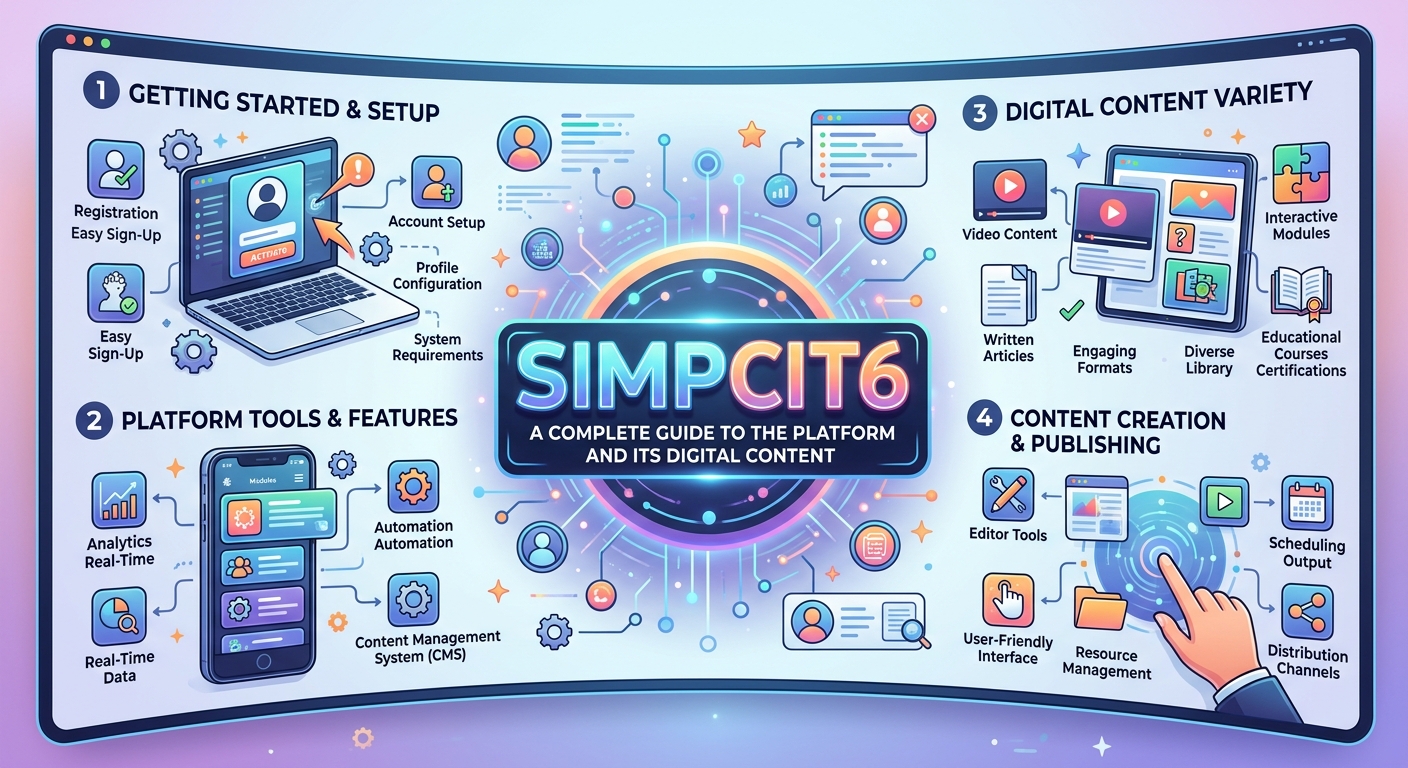
Simpcit6 is a digital content platform that aims to make complicated subjects easier to understand. As people increasingly search online for practical explanations of technology, artificial intelligence, business, education, and other modern topics, platforms that prioritize clarity can be useful. Simpcit6 describes itself as a blogging platform focused on presenting information in a simple, structured, and accessible format.
Rather than focusing on one narrow subject, the platform covers several areas that are relevant to students, professionals, technology enthusiasts, and general readers. Its approach centers on breaking down unfamiliar concepts into readable articles without relying excessively on technical language.
What Is Simpcit6?
Simpcit6 is primarily presented as an online blogging and information platform. Its website publishes articles covering subjects such as technology, artificial intelligence, business, education, and other areas of general interest. The platform’s stated purpose is to simplify complex ideas and provide useful information in an approachable format.
The name itself does not have a widely established dictionary definition. Instead, its meaning is closely connected to the website and the type of content published under the brand. This distinction is important because various unrelated websites have published speculative explanations of the term, while the official website provides a clearer indication of what the platform currently represents.
How Simpcit6 Works
The basic concept behind Simpcit6 is straightforward: publish informative material and present complicated subjects in a way that ordinary readers can follow. Articles generally use headings, subheadings, examples, and explanatory paragraphs to organize information.
This structure can be particularly helpful when a topic involves unfamiliar concepts. For example, the website has published material discussing rule-based systems in artificial intelligence, data science, and intelligent agents. These subjects can be difficult for beginners, so a structured explanation can make them easier to approach.
Simpcit6 and Technology Content
Technology is one of the prominent areas associated with Simpcit6. Modern technology changes quickly, creating demand for accessible explanations of software, artificial intelligence, data, automation, and digital systems.
The platform’s technology-oriented content attempts to explain these developments using straightforward language. Instead of assuming that every reader already understands technical terminology, articles can introduce concepts gradually and connect them with familiar examples.
Simpcit6 and Artificial Intelligence
Artificial intelligence is another important subject found across Simpcit6 content. AI can involve complex ideas such as algorithms, intelligent agents, rule-based systems, machine learning, and automation.
For newcomers, understanding the difference between these concepts can be challenging. Educational articles that explain definitions, functions, examples, and practical applications can provide a useful starting point. Simpcit6 has published articles covering both rule-based architectures and intelligent agents, demonstrating its interest in explaining different parts of the AI ecosystem.
Simpcit6 for Students and Beginners
Simpcit6 can be particularly relevant to students and beginners who want introductory information before exploring a subject in greater depth. Clear explanations can help readers build foundational knowledge without immediately encountering highly technical material.
However, readers should still use multiple reliable sources when researching important academic or professional subjects. A blog article can be a useful starting point, but it should not automatically replace textbooks, academic publications, official documentation, or expert sources.
Simpcit6 for Technology Enthusiasts
Technology enthusiasts may also find Simpcit6 interesting because its subject range extends across emerging digital trends. Readers who enjoy learning about AI, software, data, and changing technology can use general-interest articles to discover new concepts.
One advantage of broad technology coverage is that it allows readers to explore connections between different subjects. For example, artificial intelligence increasingly overlaps with data science, automation, business operations, and digital services.
Why Simpcit6 Focuses on Simplicity
The idea of simplicity is especially relevant in today’s information-heavy environment. Readers often encounter technical explanations filled with unfamiliar terminology, making even basic concepts appear intimidating.
Simpcit6 takes a different editorial approach by emphasizing readability and organization. Its website describes its content as clear and easy to understand, while its articles commonly use structured sections to help readers move through a topic.
| Area | What Readers Can Explore |
|---|---|
| Technology | Digital systems and emerging technologies |
| AI | Artificial intelligence concepts and applications |
| Business | Business-related ideas and developments |
| Education | Learning and educational topics |
| Data | Data science and related concepts |
Benefits of Using Simpcit6
One potential benefit of Simpcit6 is accessibility. Readers do not necessarily need advanced technical knowledge to begin exploring its articles. The use of headings and explanatory sections also makes longer topics easier to scan.
Another advantage is subject variety. Instead of concentrating entirely on one niche, the platform covers multiple areas. This can appeal to readers who want to explore technology, business, education, and AI from the same general information source.
What Readers Should Keep in Mind
Although Simpcit6 can be useful for discovering and understanding topics, readers should evaluate information according to the importance of the subject. Not every online article carries the same level of authority or editorial verification.
For technical, financial, medical, legal, or academic decisions, it is sensible to consult authoritative sources and professionals where appropriate. Using several sources can also help readers identify differences in interpretation and develop a more balanced understanding.
The Future of Simpcit6
The future of Simpcit6 will likely depend on how consistently it develops its content, maintains readability, and responds to changing interests. Technology and AI are evolving rapidly, meaning information platforms need to update older explanations and address emerging subjects.
If the platform continues producing clear, well-organized material while improving factual quality and depth, it can remain useful to readers looking for accessible introductions to complex topics.
Conclusion
Simpcit6 represents an online content platform built around the idea of making information easier to understand. Its coverage includes technology, artificial intelligence, business, education, and data-related subjects, giving readers a broad selection of topics to explore.
Its strongest appeal is its focus on simplicity and structured explanations. For beginners and curious readers, that approach can make unfamiliar subjects less intimidating. At the same time, readers should verify important information through authoritative sources when accuracy is especially important.
As digital information continues to expand, the ability to explain complicated ideas clearly remains valuable. That focus gives Simpcit6 a recognizable place within the growing landscape of online educational and informational content.
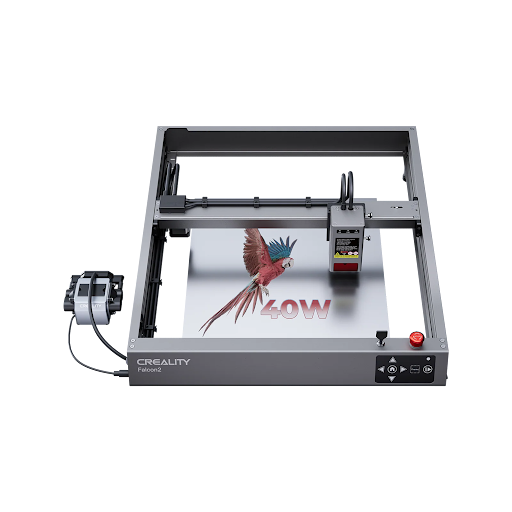
Choosing the best desktop laser cutter means balancing power, precision, and practicality for hobbyists, makers, and small businesses. A machine that excels at cutting acrylic may not be ideal for engraving leather or fine-detail projects.
This guide evaluates machines based on wattage, work area, software compatibility, price, and support, helping you match the right tool to your workflow—whether you’re engraving gifts, cutting plywood prototypes, or producing small-batch products.
What to Look for When Shopping for a Desktop Laser Cutter
Laser wattage determines cutting capability and speed:
- 2W–10W diode → engraving and light materials
- 20W diode (e.g., Falcon A1 Pro) → balanced for beginners
- 40W+ CO₂ → cutting thicker wood and acrylic
Work Area
A practical desktop machine should offer:
- ~300×300 mm → hobby use
- ~400×400 mm → small-batch production
Software Compatibility
Most machines support:
- SVG / DXF files
- LightBurn
- Manufacturer software
Software determines workflow efficiency and ease of use.
Safety Features
Look for:
- Enclosed design (preferred for indoor use)
- Safety interlocks
- Ventilation compatibility
Maintenance & Consumables
Consider long-term costs:
- Lens cleaning
- Belts and rails
- Filters and airflow systems
Top Desktop Laser Cutters by Use Case
Hobby & Craft Use
- Low-power diode machines (5W–10W)
- Best for engraving wood, leather, paper
Beginner to Intermediate
- Creality Falcon A1 Pro (20W diode)
- Suitable for:
- Wood cutting (thin)
- Acrylic (dark/thin)
- Leather
Small Business & Production
- CO₂ machines (40W–80W)
- Better for:
- Acrylic cutting
- Faster batch production
Feature Deep Dive – Power, Precision, and Materials
Power vs Material
- Diode → engraving + light cutting
- CO₂ → wood & acrylic cutting
- Fiber → metal engraving/cutting
Precision
Precision depends on:
- Motion system rigidity
- Frame stability
- Calibration
Typical desktop accuracy:
- ±0.1 mm
Air Assist & Cooling
- Air assist → reduces burn marks
- Cooling → prevents overheating
CO₂ machines often require water cooling systems.
Workflow and Software Support
Software controls how designs are translated into cuts.
Common tools:
- LightBurn
- Manufacturer apps
Workflow tips:
- Use test cuts
- Save material profiles
- Use camera alignment if available
Communities like Reddit and YouTube provide valuable tutorials and troubleshooting advice.
Creality Falcon Best-Fit Pick
The Creality Falcon A1 Pro is a compact, enclosed diode laser designed for beginners and small-scale creators.
Key strengths:
- 20W diode laser → suitable for wood, leather, thin acrylic
- Enclosed design → safer for indoor use
- Auto-focus features → easier setup
- Compact footprint → ideal for desktop environments
It is best suited for:
- Hobbyists
- Etsy sellers
- Entry-level production
Budget, Maintenance, and Long-Term Ownership
Typical pricing:
- Entry-level diode → ~$500–$900
- Mid-range diode → ~$800–$1,500
- CO₂ systems → $1,500–$5,000+
Maintenance includes:
- Lens cleaning
- Belt adjustment
- Airflow system checks
CO₂ machines require additional maintenance such as tube replacement.
Final Checklist
Before buying:
- Define your main use case
- Match wattage to materials
- Ensure ventilation setup
- Confirm warranty and support
- Budget for accessories
Final Thoughts
The best desktop laser cutter depends on your materials, workflow, and budget.
For most users, a diode-based system like the Creality Falcon A1 Pro offers a strong balance of:
- Ease of use
- Safety
- Affordability
More advanced users working with thicker materials should consider CO₂ systems for greater cutting performance.


